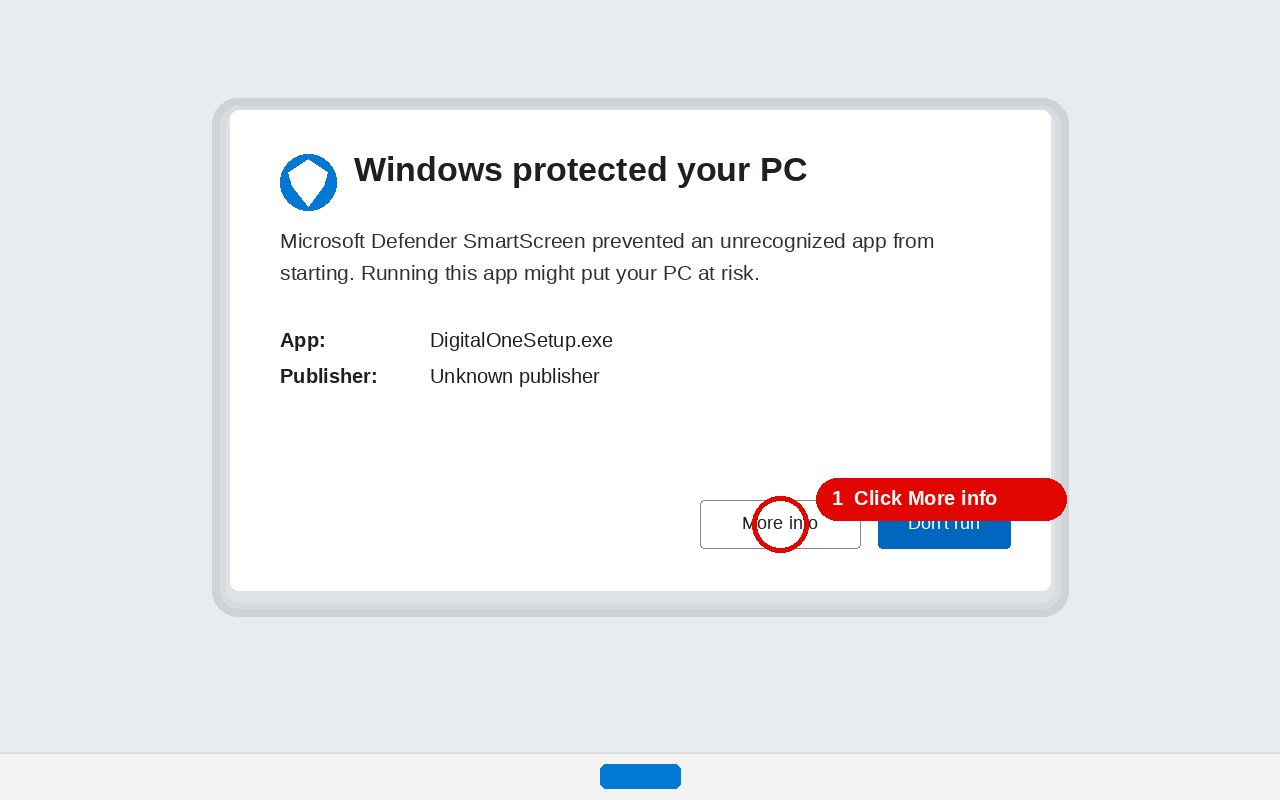
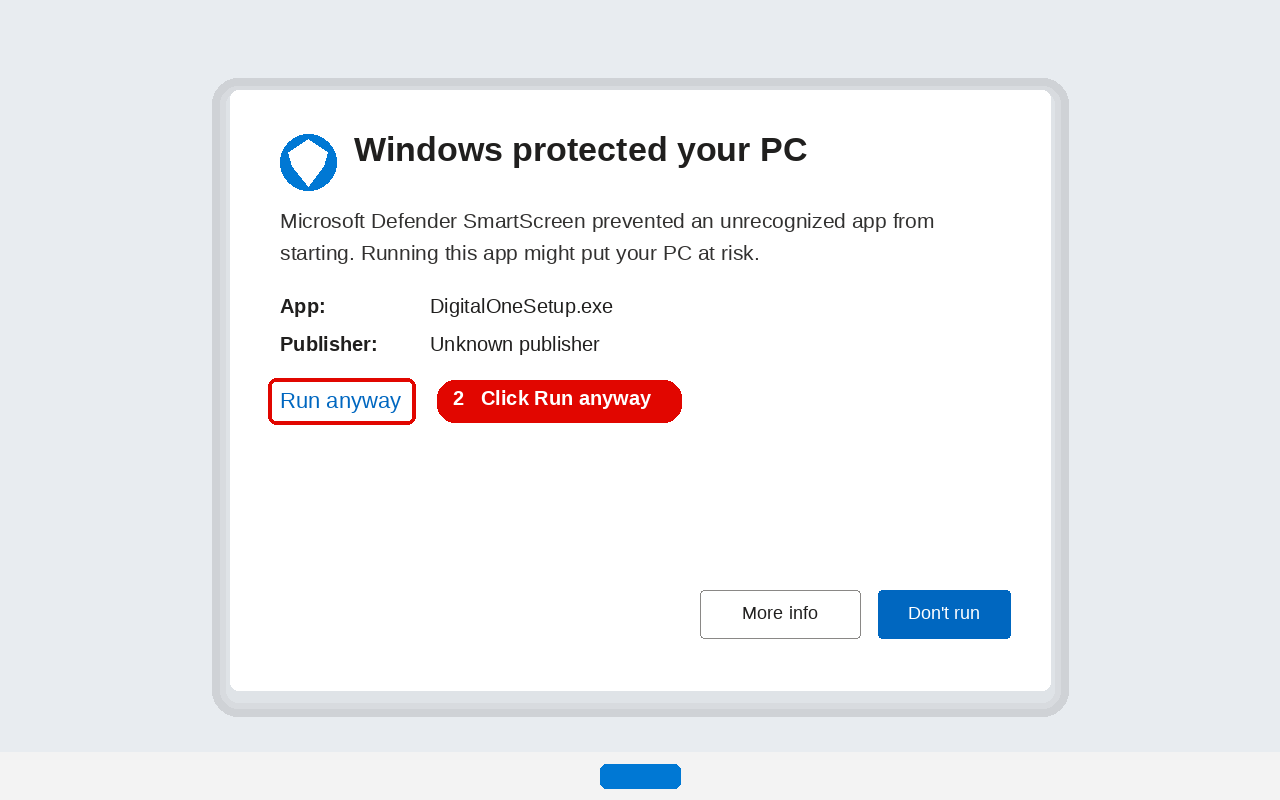
Open DigitalOneSetup.exe from your Downloads. Windows will warn you because the file is not signed. Use these three clicks. Do not click Don't run.
1. Click More info. Not the blue button.
2. Click Run anyway.
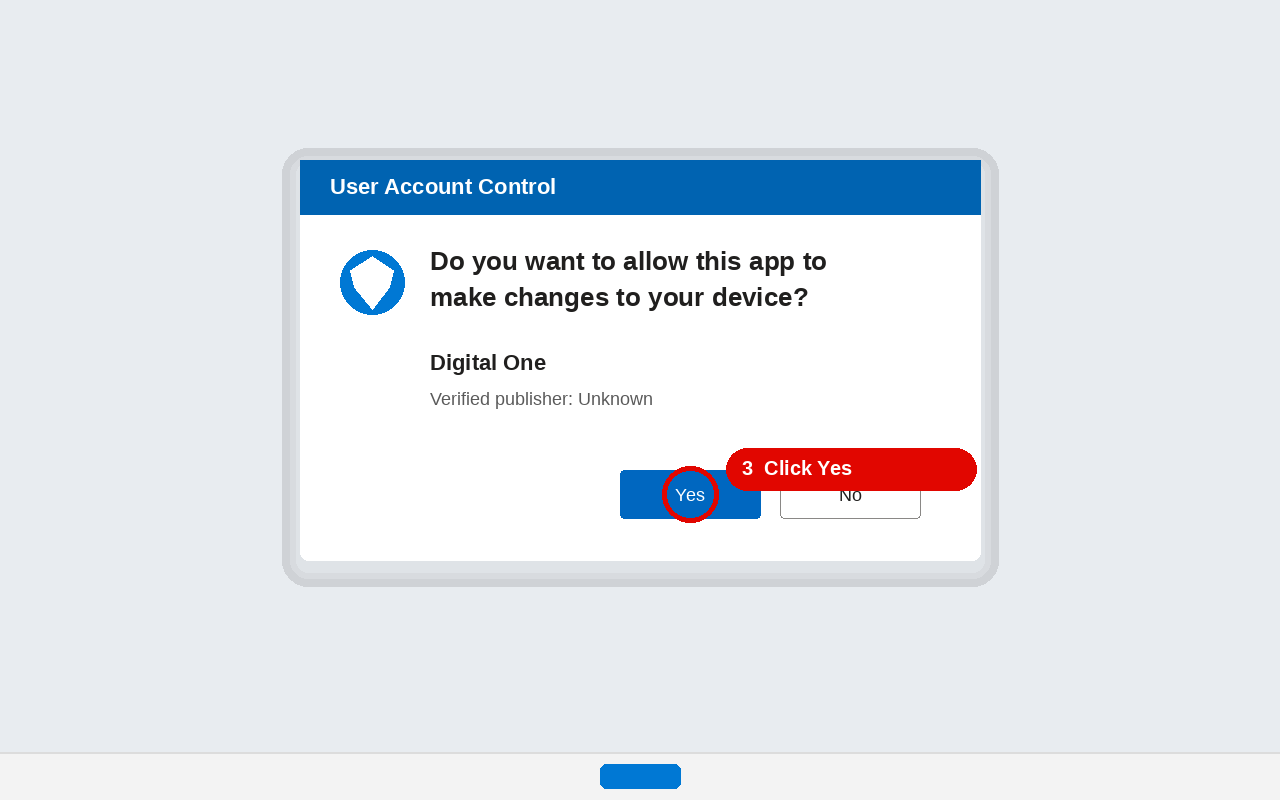
3. If Windows asks to allow changes, click Yes.
After it installs, you can close this message and call us at 336-285-0443.